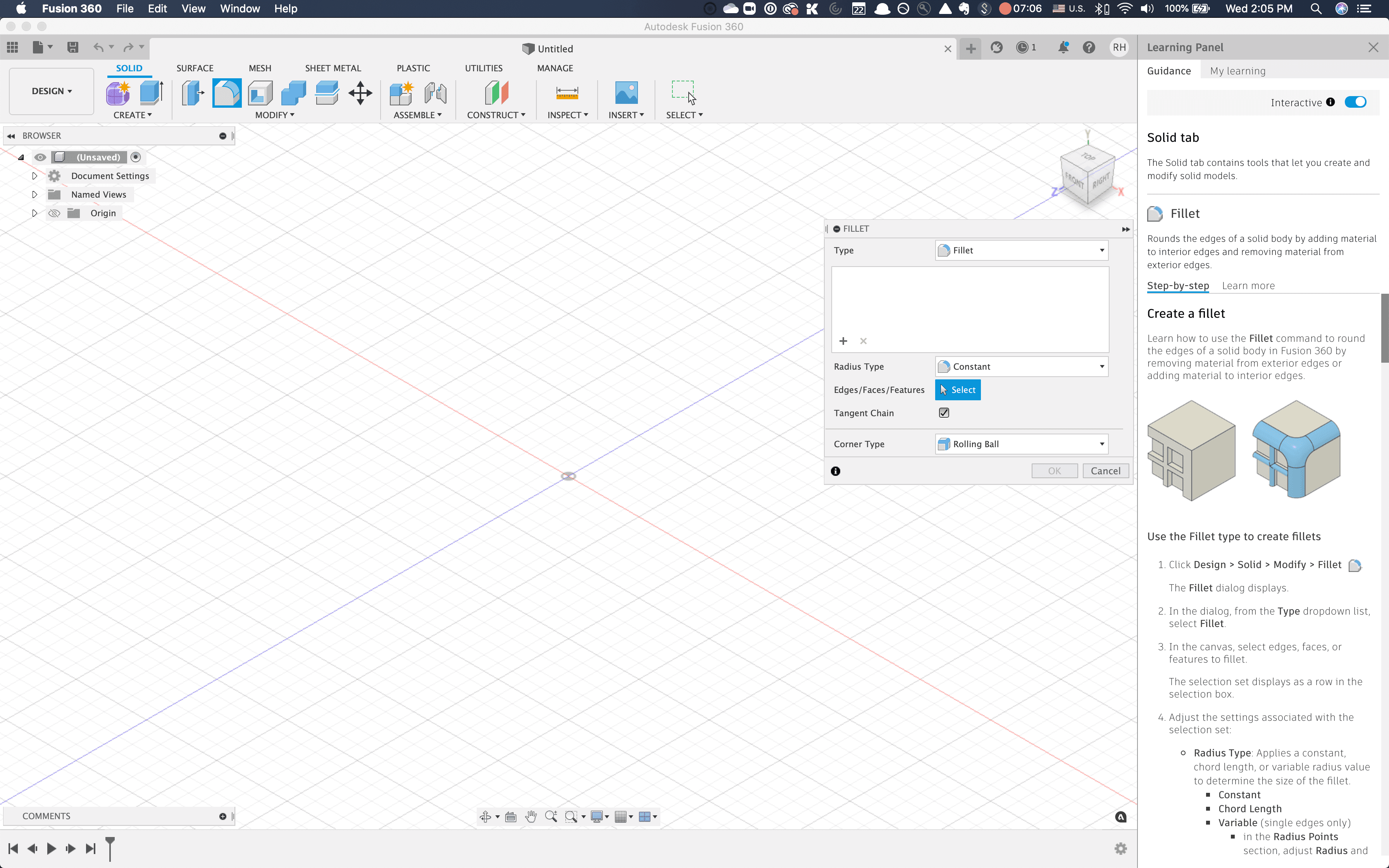
Driving an increase in monthly active users through in-product learning
Services
UX/product design, UX research, content strategy
Industry
B2B, B2B2C, SaaS
Team
Product Owner, Content Strategist, UX Researcher
Outcomes
77% increase in monthly active users over the following academic year
Laid the foundation for future new subscriber and onboarding strategy
Established the building blocks for future design system efforts
The Challenge
Transforming a critical point in the customer journey
Fusion was critical to Autodesk's cloud strategy, but new subscribers struggled with adoption. The target demographic—college students and recent grads—tended to prefer personalized guidance at the moment of need, not traditional help documentation that might not address their needs. At the time, new users had a few ways to access Autodesk learning resources:
traditional, one-size-fits-all software documentation accessed via the "Help" menu or support website
tutorials on the Autodesk Fusion product website
the Autodesk customer support forum
Approach
Assessing existing content
The project began with a competitive analysis, analyzing in-product and web-based learning experiences from:
Adobe Creative Cloud (in-product tutorials)
Google products (contextual help)
LinkedIn Learning (structured learning paths)
Unity (game engine documentation)
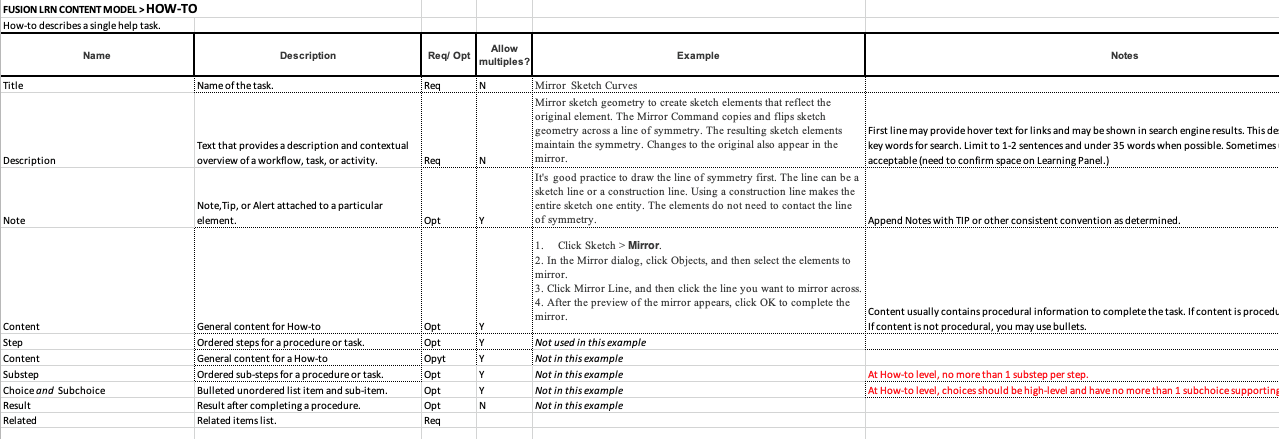
I worked closely with Fusion's content strategist to audit the existing learning content, creating a content model that could be used across multiple user interfaces.
Learning from our customers
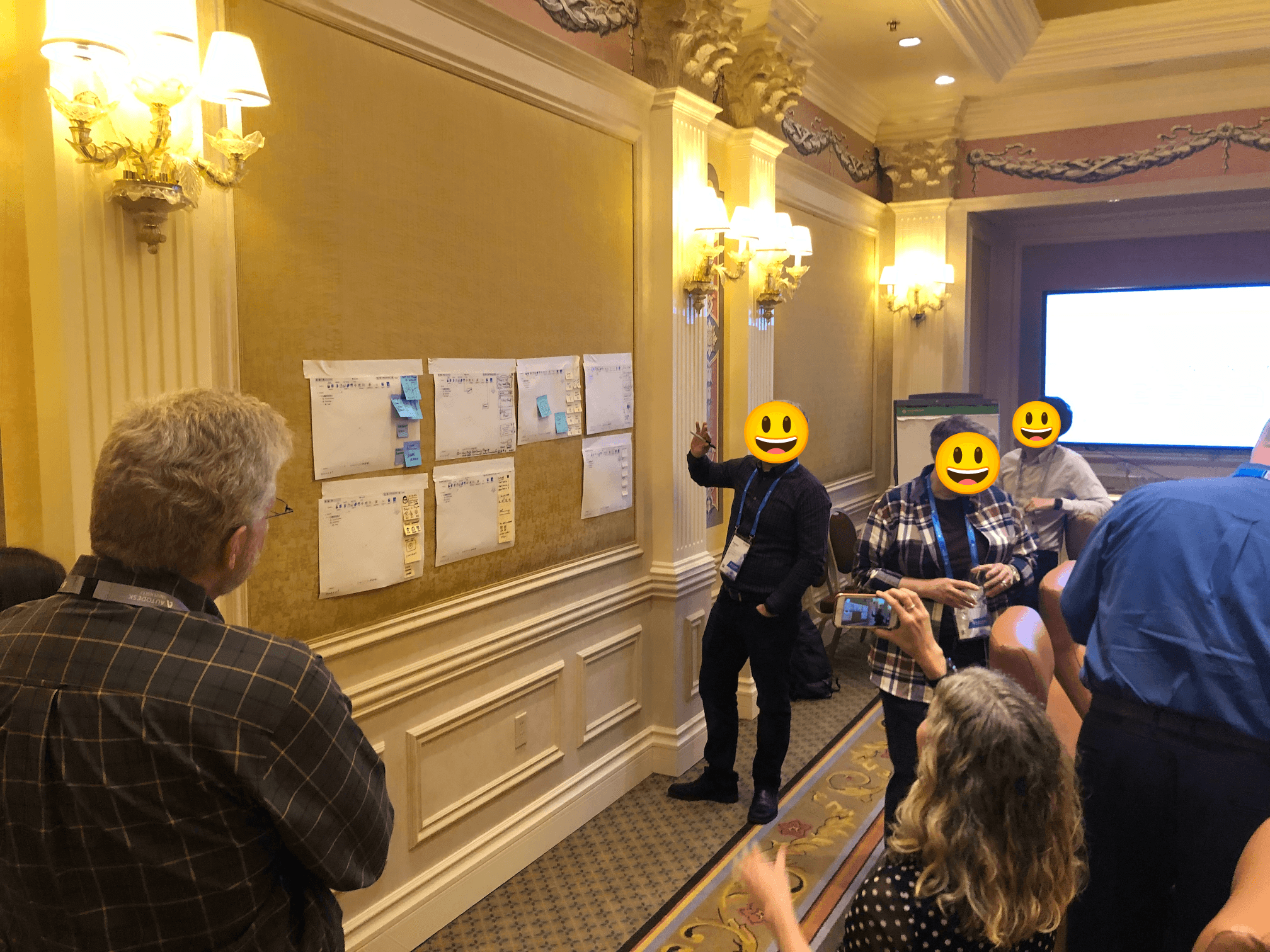
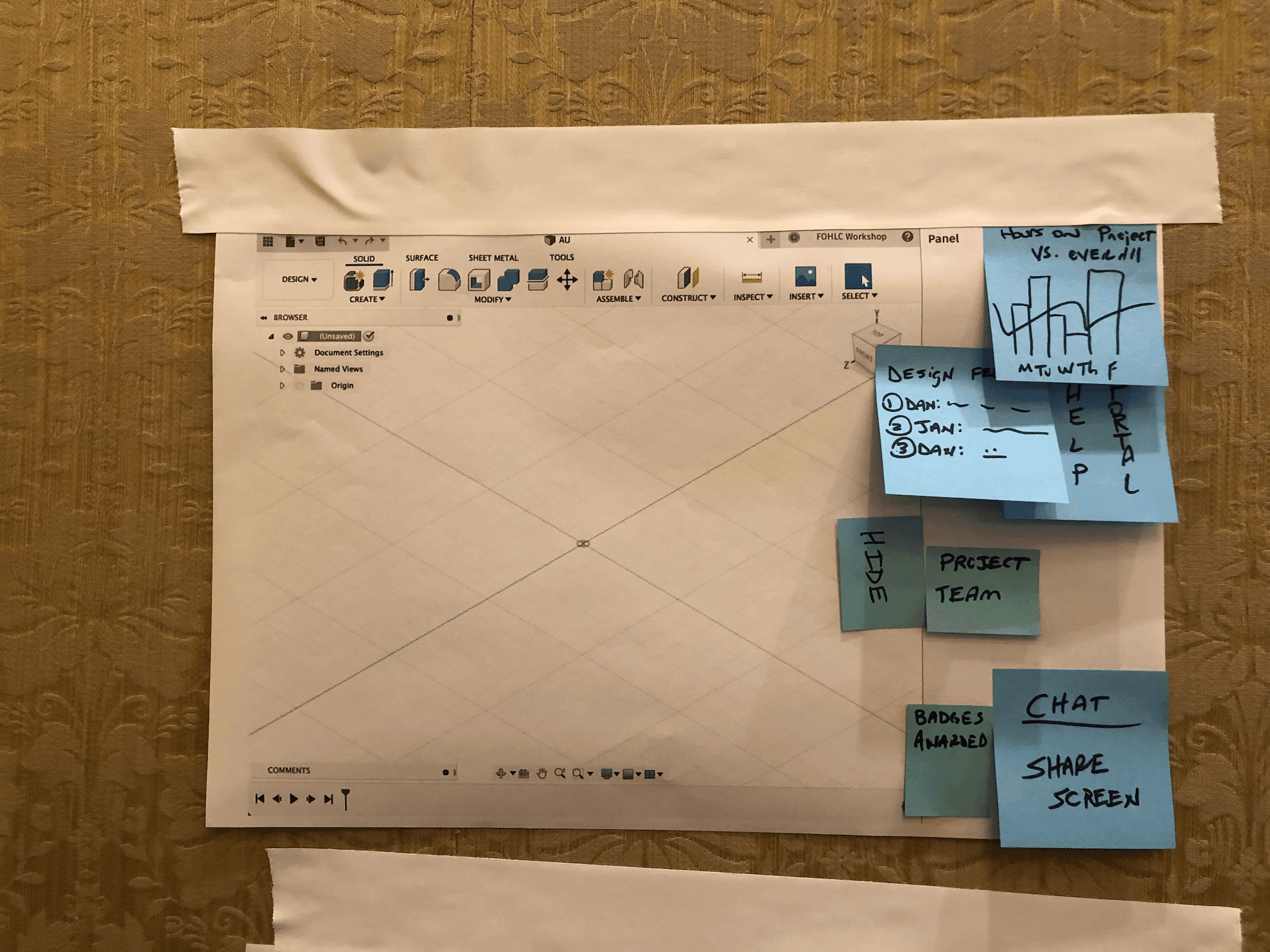
In collaboration with a UX researcher, I led a customer co-creation workshop at Autodesk University to discover users' biggest pain points when it came to learning new software.
The workshop, along with interviews with existing Fusion users, generated several themes:
Personalization options would be welcome. In this project, we focused on content tailored to onboarding users who were switching from to Fusion from a popular competitor.
Users wanted to share feedback on what additional content they needed on an ongoing basis via multiple “voice of customer” channels.
Users searched for content based on context and need, not by topic (e.g. I want to model a gearbox). In general, they wanted eventual support for an experience similar to Siri or Alexa.
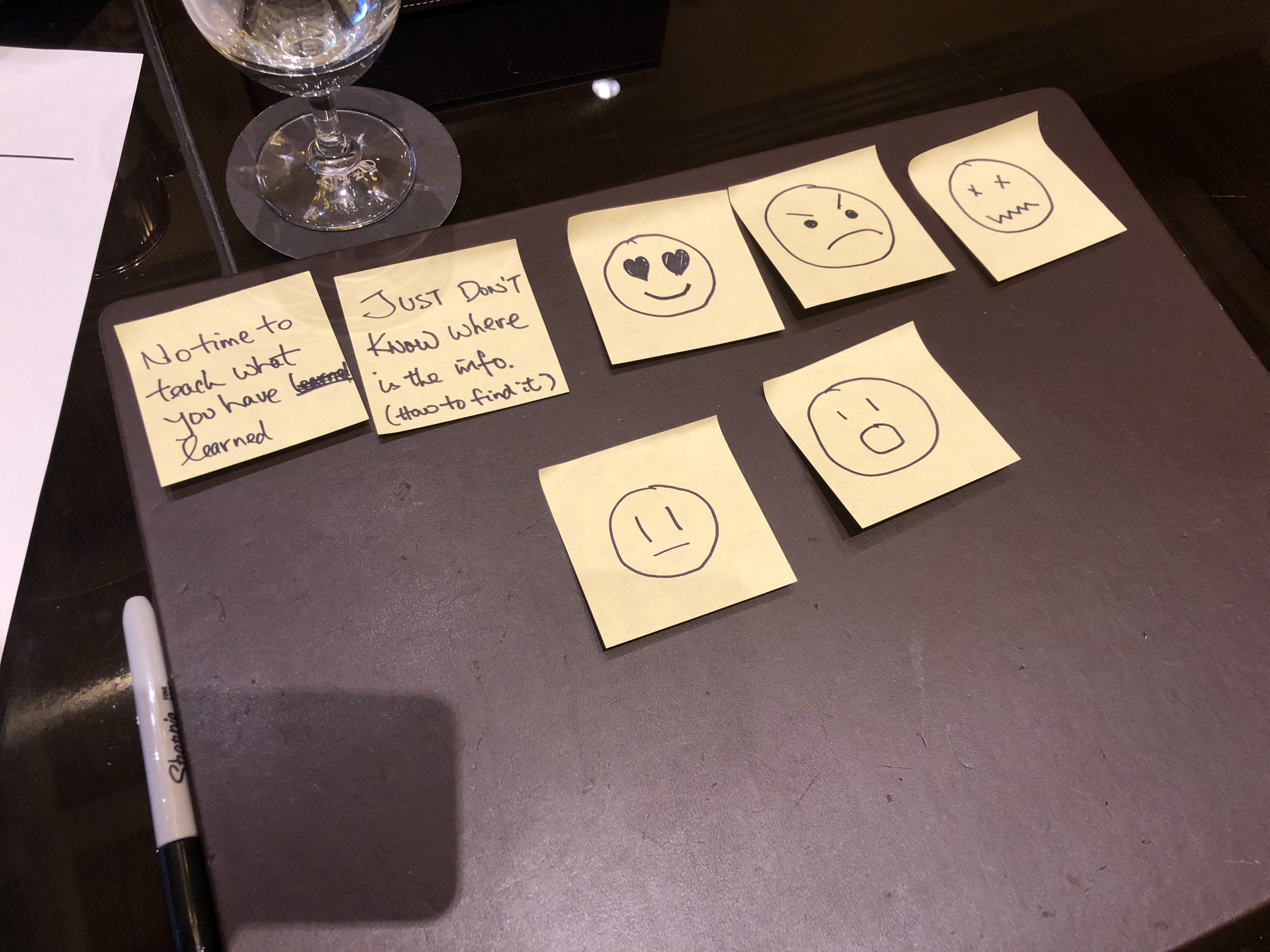
Key insight: The best experiences combined structured learning with just-in-time contextual help, using progressive disclosure to avoid overwhelming users.
I mapped the user journey from first-use to mastery and identified key inflection points where contextual help would be most valuable:
First launch: Welcome experience establishing mental model
Core tasks: Contextual tooltips for common workflows
Stuck moments: In-product learning panel with targeted tutorials
Skill building: Progressive learning paths based on user goals
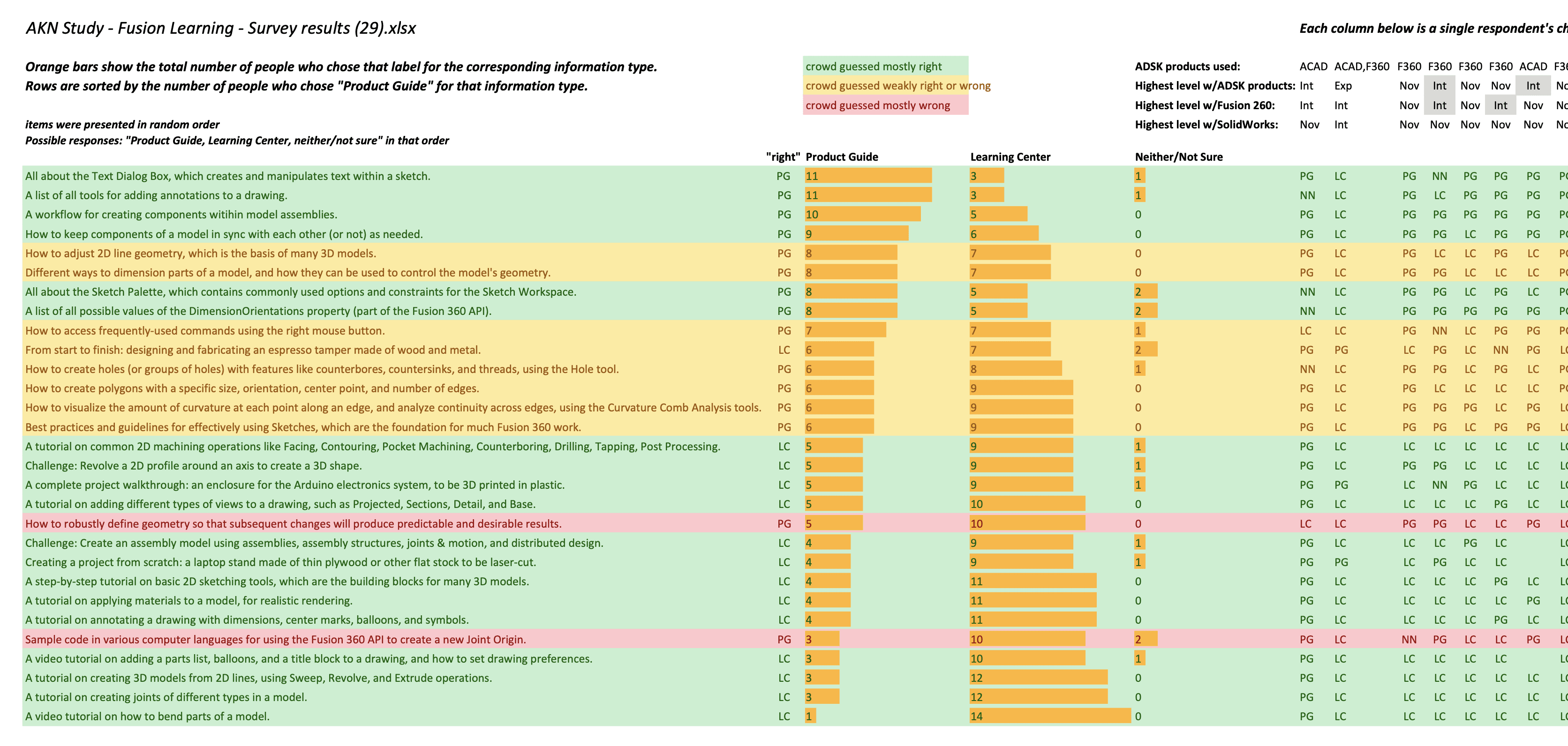
Building on the content modeling exercise, a remote unmoderated card sort study provided further insight into users' mental models for navigating learning resources and product documentation.
Designing a new learning experience
Our work was guided by several core design principles:
Modular by design: Build components to enable reuse across devices, languages, and products
Context aware: Deliver help at the moment of need
Progressive disclosure: Start simple to avoid overwhelm, reveal complexity as users advance in skill
Deliverables
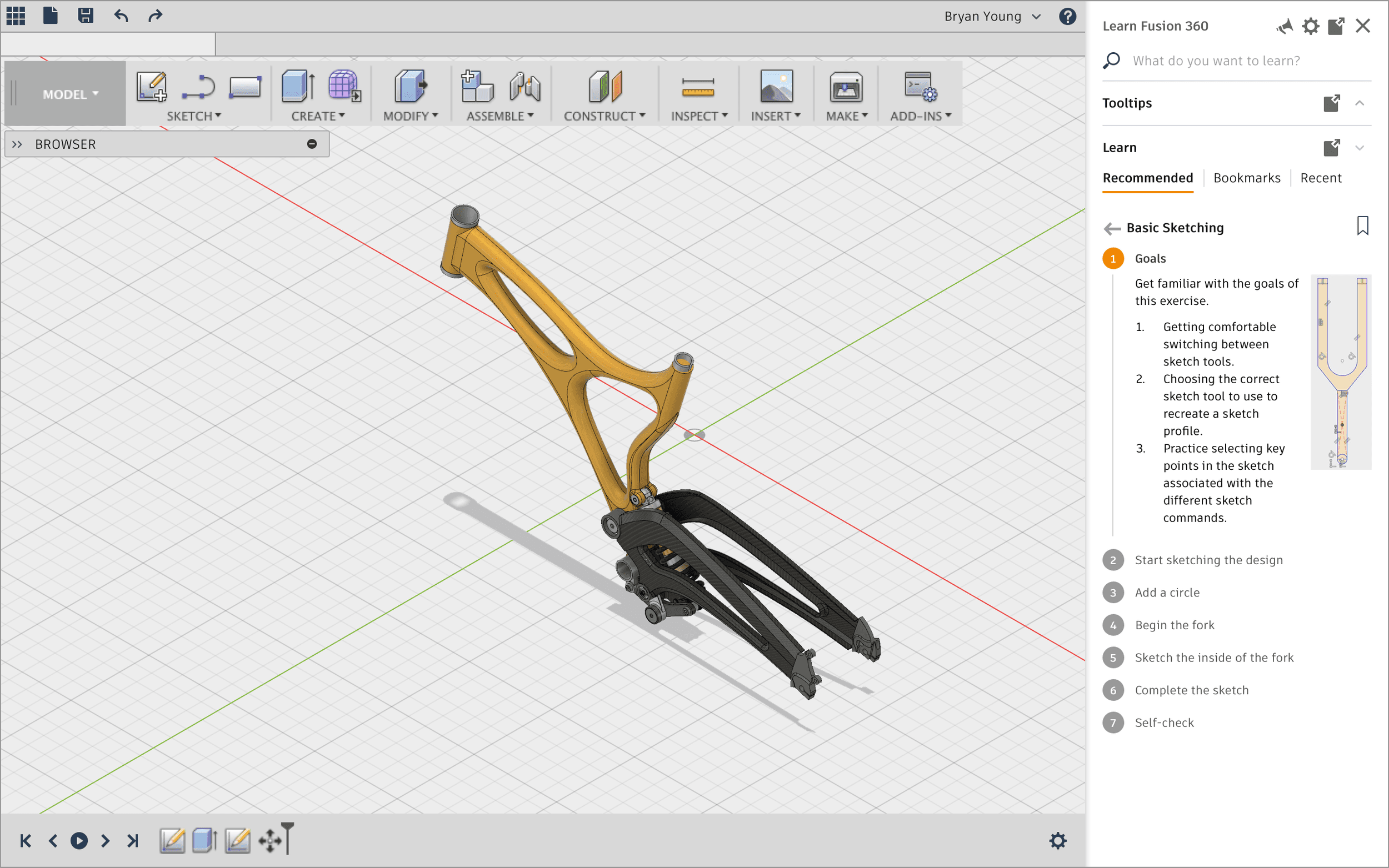
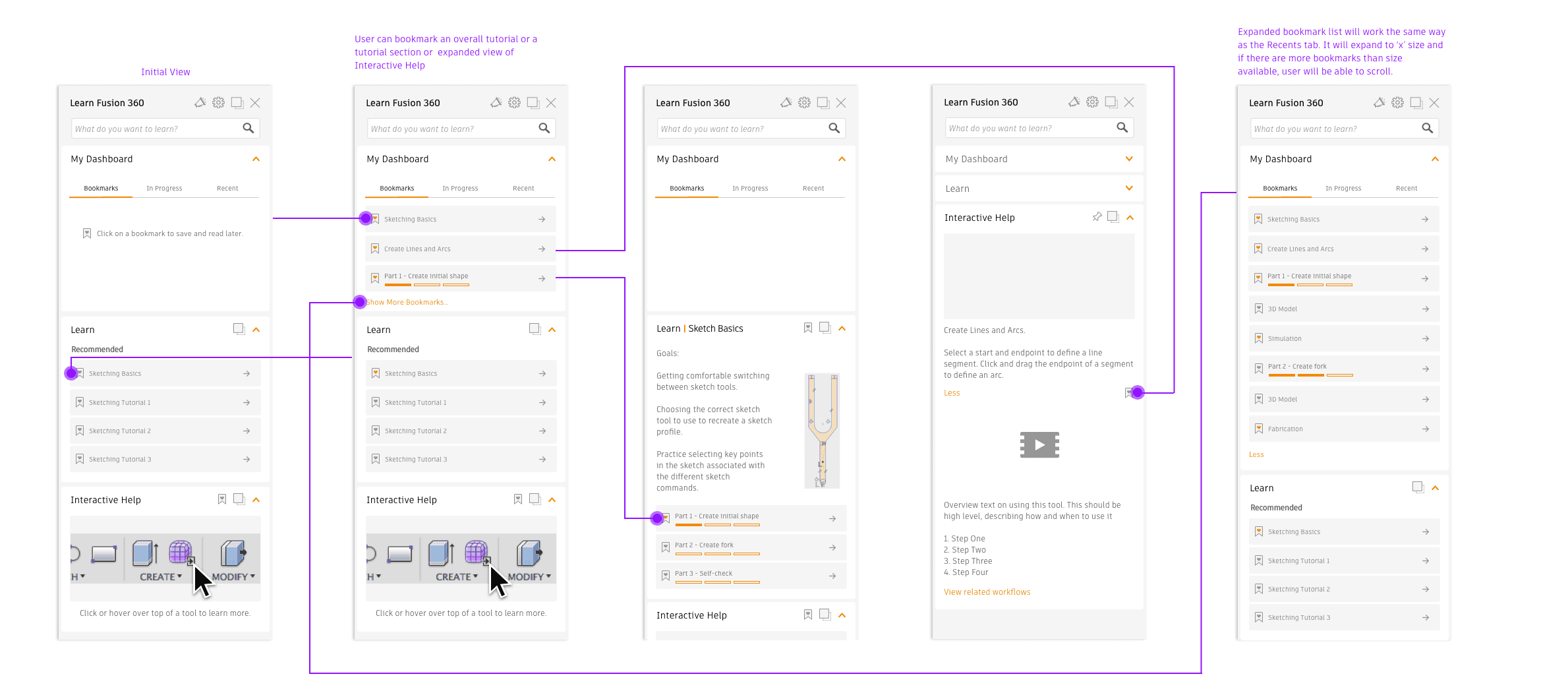
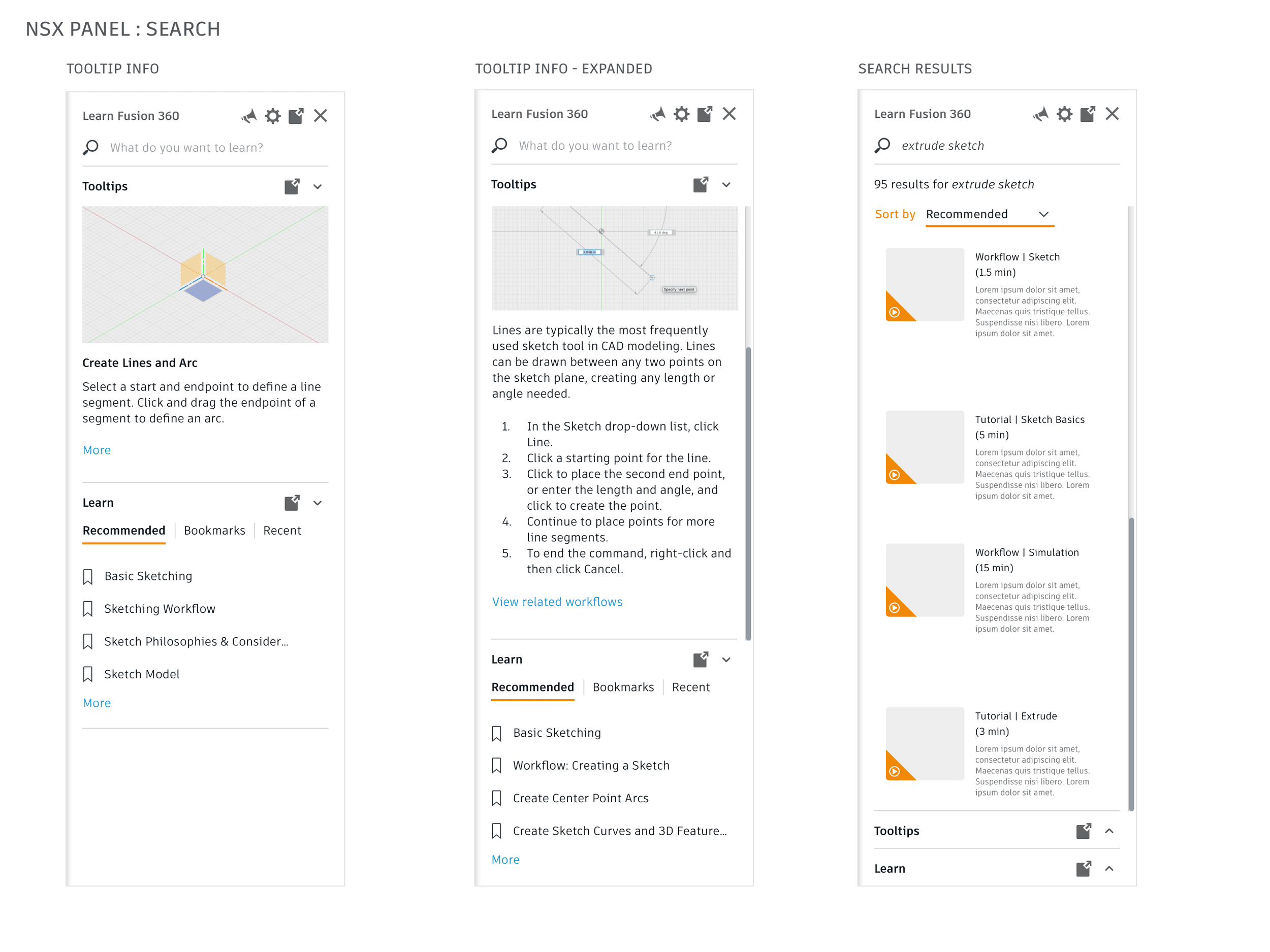
I created mockups and an interactive InVision prototype following the principles of atomic design, which lend itself to a scalable, flexible, and consistent experience:
Card-based tutorial modules
Progress indicators for learning paths
Contextual tooltips with smart positioning
Quick access to the customer feedback module
Results
I hope they put more work into this because it's really good if you're a beginner! - Fusion content creator
Although initial development efforts stalled due to shifting priorities, Autodesk reinvested in the new subscriber experience a year later and implemented the tutorial panel in Fusion. Over the course of the following academic year, Fusion saw a 77% increase in monthly active users, increased conversion rates, and positive customer feedback.
The learning panel project was one of the first in a framework of design patterns for in-product onboarding and contextual learning in which subscribers get help delivered incrementally and at key moments of learning need throughout their journey from first-use to deep expertise. It served as a foundation for new subscriber and onboarding strategy and established the building blocks for a new design system.